
Bookkeeping software for small business accounting refers to applications that capture, categorize, and store financial transactions and related records. These systems typically include modules that handle sales invoicing, expense recording, bank and card transactions, general ledger entries, and basic reporting. The software’s core purpose is to maintain an organized set of financial records that can be used for internal tracking, statutory reporting, tax preparation, and routine reconciliation tasks.
In practice, a bookkeeping platform groups functionality into distinct modules that interact: a ledger module holds account structures; an invoicing module records receivables; an expense or payables module records bills and outflows; and reconciliation tools match external statements to recorded transactions. Modules may exchange data via automated feeds, import tools, or manual entry, and they often provide role-based access so small teams can segregate duties for control and review.
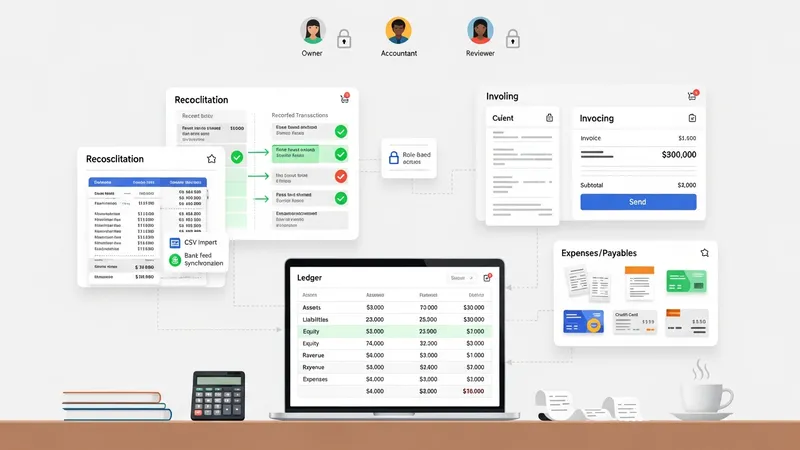
Bookkeeping modules often differ in how they handle automation versus manual control. For example, automated bank feeds may import transactions daily, which can reduce repetitive entry but typically require periodic review to ensure correct categorization. Manual import or CSV upload remains common where automatic feeds are unavailable or when businesses use specialized payment processors. The choice between automation and manual workflows may affect review frequency, internal controls, and training needs for staff who maintain records.
Integration is another common consideration when evaluating bookkeeping modules. Modules that can exchange data with payroll, inventory, point-of-sale, or tax-filing tools may reduce duplicate work and improve consistency across records. Integration may be achieved through built-in connectors, third-party middleware, or simple data export/import functions. Each approach may influence how quickly transaction flows are reflected in financial reports and how much reconciliation work remains.
Reporting and analytics modules typically offer a set of standard outputs such as profit-and-loss statements, balance sheets, and cash flow summaries. These reports may be generated on demand or scheduled periodically. For small businesses, concise, regularly produced reports can provide visibility into revenue trends, expense patterns, and cash positions. Report configuration often allows filtering by date range, project, or departmental dimension, which can assist internal review without suggesting specific business actions.
Security, access control, and audit trails are frequently built into bookkeeping modules to support reliable record-keeping. Role-based permissions can limit who may create, edit, or approve entries, and audit logs may show who changed a record and when. Such controls may be particularly helpful for small teams that share accounting responsibilities and need clear accountability paths while preparing records for external review or tax compliance.
In summary, bookkeeping software for small business accounting is organized around interrelated modules that manage invoices, expenses, reconciliations, ledgers, and reporting. Each module may offer varying degrees of automation, integration, and control that can influence record accuracy and administrative burden. The next sections examine practical components and considerations in more detail.
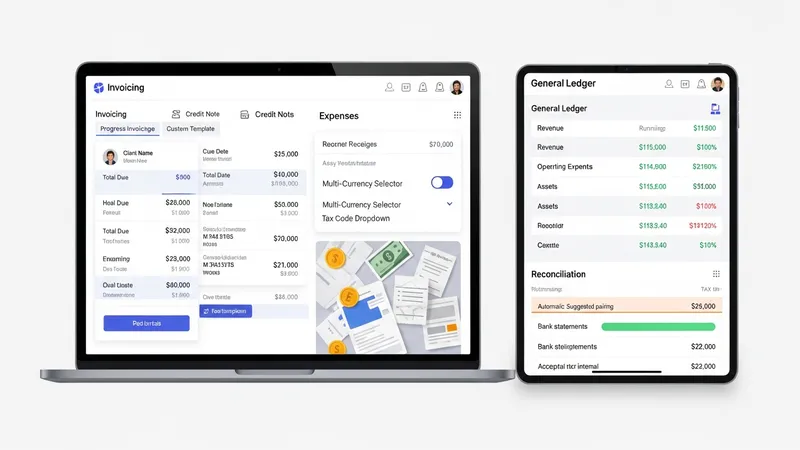
Modules within bookkeeping systems typically map to core bookkeeping tasks: recording sales and receipts, logging expenses, maintaining the general ledger, and reconciling external statements. Each module serves a specific accounting role and may include sub-features such as recurring transaction templates, multi-currency fields, and tax code assignments. Small businesses often assign responsibility for one or more modules to employees, contractors, or external bookkeepers, and the modules’ design can affect how easily record ownership is established and maintained.
When selecting module configurations, businesses may weigh the trade-offs between simplicity and depth of function. A lightweight invoicing module may cover basic billing needs and payment recording, while a more feature-rich version can support progress invoicing, credit notes, and custom templates. Similarly, a reconciliation module can range from a manual match interface to semi-automated matching using suggested pairings. These variations influence training requirements and reconciliation frequency but do not inherently determine accounting quality on their own.
Inter-module workflows are an important operational consideration: for example, an expense entry in the payables module should update the general ledger and appear in cash flow reports without manual duplication. Workflow design may include approval steps for high-value entries, budget checks against projected allocations, or integration checks for inventory-linked expenses. Thoughtful mapping of these workflows can reduce repetitive tasks and may support clearer audit trails when entries are reviewed or adjusted.
Another role-related aspect is access control and segregation of duties. Smaller teams may combine roles out of necessity, whereas slightly larger practices can separate data entry, approval, and review functions. Modules that allow granular permission settings and detailed audit logging can support such separation. Consideration of user roles and typical internal processes often helps determine which modules and settings will best align with an organization’s accounting practices.

Invoicing modules manage the creation, distribution, and tracking of customer invoices and associated payments. Common capabilities include invoice templates, due-date assignment, payment status tracking, and integration with payment processors or bank feeds. For many small businesses, the invoicing module often becomes the primary source of revenue transaction entries and may therefore influence how quickly sales are reflected in financial summaries and aged receivables reports.
Typical invoicing workflows may include preparing an invoice, sending it to the customer, recording receipt of funds, and reconciling those receipts to outstanding invoices. Some systems offer recurring invoice templates or automatic reminders for overdue accounts, which can streamline routine billing tasks. It is useful to view these features as operational aids rather than guarantees of collection performance, and businesses may pair module capabilities with their own credit and collection policies.
Receivables tracking often connects directly to reporting modules that produce aging analyses, which may show outstanding balances by age buckets. Aging reports can help businesses prioritize follow-up activities but should be interpreted within context: payment terms, customer relationships, and seasonal patterns can influence aging without implying a single corrective action. Maintaining clear invoice numbering and including relevant metadata on invoices can facilitate matching payments and resolving disputes more efficiently.
Integration with external payment channels can reduce manual entry but may require additional configuration. Payment processor feeds may supply transaction dates, amounts, and fees that the invoicing and bank reconciliation modules must account for. These fee entries and settlement timing differences often require mapping rules or small adjustments to reconcile gross receipts to net deposits and ledger entries. Accounting teams typically document such mapping to preserve consistent treatment of processor fees across reporting periods.
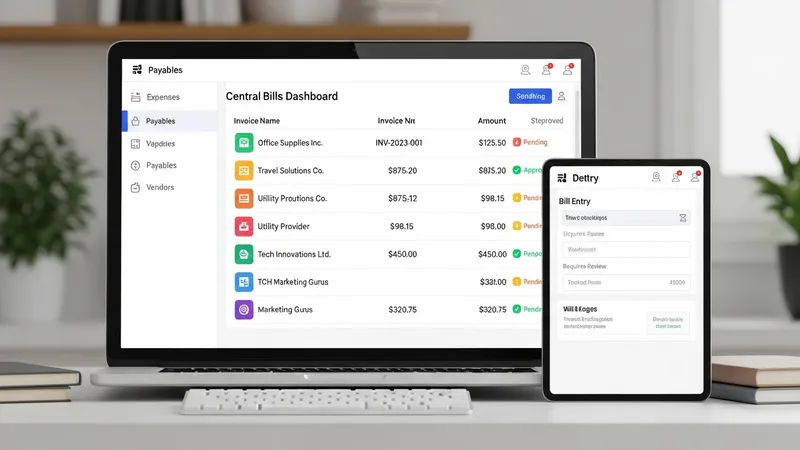
Expense tracking modules record supplier invoices, staff reimbursements, and other outflows that affect cash positions. Features commonly include vendor records, bill entry forms, categorization fields tied to the chart of accounts, and attachment storage for receipts or invoices. For many small entities, consistent categorization in the expense module helps maintain reliable expense reporting and reduces the time required for month-end review and classification.
Payables workflows usually involve bill entry, approval (when applicable), scheduling of payments, and posting to the ledger. Some systems permit batch payment preparation and the export of payment files for banking tools, while others rely on manual payment actions performed outside the bookkeeping system. Companies often implement simple approval thresholds so that higher-value bills receive additional review, and configurable workflows in the payables module can reflect those thresholds without mandating a single approach.
Record-keeping best practices often suggest attaching digital copies of receipts and invoices to entries in the expense module. This practice may aid in audit readiness and in responding to inquiries about specific transactions. Additionally, categorization tied to tax-related account codes can simplify reporting for tax preparation, though businesses typically confirm specific tax treatments with a qualified advisor rather than relying solely on module defaults.
Expense modules may also support employee reimbursements and petty cash management. Reimbursement workflows can include submission of receipt images, manager approval, and payment posting. Petty cash handling in the module often uses a fund-account approach where periodic reconciliations ensure recorded disbursements match the remaining physical cash. These features can reduce paperwork while still preserving audit trails if set up with clear procedural notes and periodic reviews.
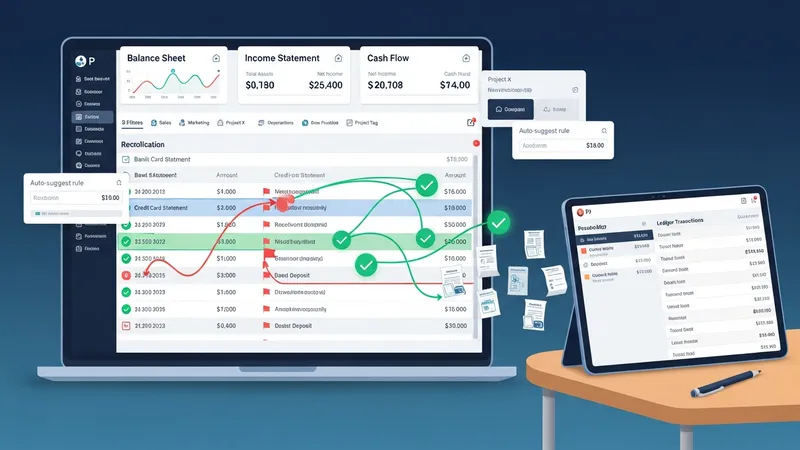
Reporting modules consolidate ledger entries into standard financial statements and customizable summaries. These modules commonly produce balance sheets, income statements, and cash flow-type overviews, and may allow simple customization such as date ranges, departmental filters, or project tags. Users often rely on these reports to monitor trends and to prepare information for external accountants or compliance filings, recognizing that report outputs reflect the accuracy and completeness of underlying entries.
Reconciliation modules match bank and card statements to recorded transactions, suggesting matches and flagging discrepancies for review. These modules may support one-to-one matches, one-to-many consolidations (e.g., several receipts matching one deposit), and auto-suggestion rules that learn from repeated categorization choices. Regular reconciliation is typically recommended as a control measure, and small businesses may reconcile on a cadence that balances workload with the volume of transactions, such as weekly or monthly.
Account management often includes the chart of accounts and settings that define how transactions map to financial statement lines. Properly structured charts of accounts can simplify reporting and reduce reclassification work later. Adjustments, journal entries, and closing period functions are typically part of account management workflows and may require careful documentation when used to correct historical entries or allocate costs across reporting categories.
Finally, audit trails and export capabilities are practical account-management features that support external review and archival needs. The ability to export transaction-level detail and supporting attachments can facilitate collaboration with external accounting professionals and can aid in periodic tax or compliance activities. Clear documentation of internal procedures for exports, reconciliations, and account changes can help maintain consistency across reporting periods.