
Selecting and integrating software for everyday business activities involves matching organizational needs with digital capabilities and connecting those tools to existing processes. This process typically covers applications for managing projects, team communication, bookkeeping, customer records, automations that reduce manual steps, and tools for analyzing business data. Effective selection focuses on functional fit, how a tool will operate within current workflows, and whether it supports reporting and compliance obligations commonly encountered by U.S. employers and small enterprises.
Decisions about tools often involve multiple stakeholders including operations, finance, IT, and end users. Considerations commonly include data access patterns, user roles, authentication, and retention requirements under U.S. rules. Integration planning may address API availability, export formats, and whether a tool can interoperate with payroll, tax reporting, or customer data flows that must meet regulatory expectations.

When comparing these categories, organizations in the United States often evaluate functional coverage against operational risk. For example, accounting tools that export IRS-compatible reports may be prioritized by finance teams, while CRMs that provide secure contact segmentation can align with state privacy rules such as the California Consumer Privacy Act (CCPA) where applicable. Feature matrices that compare API access, data ownership, and mobile support can help illustrate trade-offs between different vendor offerings.
Technical compatibility frequently guides integration choices. Many U.S. businesses favor cloud software with documented APIs and established connector ecosystems because these can reduce custom development time. Native integrations between two services may simplify setup, while middleware platforms can bridge systems that lack direct connectors. Decision-makers typically map current systems, data flows, and touchpoints before committing to a specific integration approach.
Cost structure and licensing models commonly influence selection without being the sole determinant. In the U.S., vendors often offer per-user monthly SaaS pricing, tiered features, or enterprise agreements. Organizations usually forecast total cost of ownership by including subscription fees, expected implementation hours, potential consultant support, and ongoing administrative effort for user provisioning and updates.
User adoption and governance are essential practical considerations. Training, role-based access, and clear documentation can reduce friction when new tools enter daily operations. U.S. businesses may pilot tools with a subset of users or departments to gather feedback and adjust workflows before broader rollout. This staged approach can surface integration gaps and inform support needs without disrupting core operations.
In summary, selecting and integrating digital tools for day-to-day operations means matching functional needs, technical fit, and governance requirements while factoring in U.S.-specific compliance and reporting contexts. The next sections examine practical components and considerations in more detail.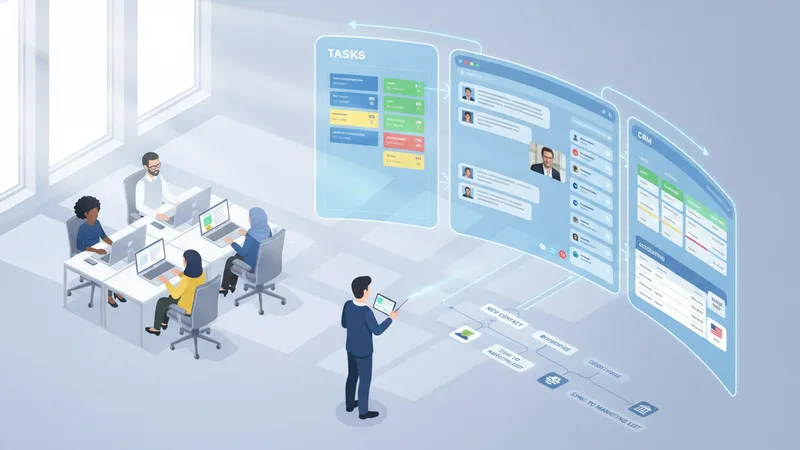
Project management solutions such as Asana and Trello typically support task assignment, timelines, and resource tracking; they may integrate with communication platforms to centralize status updates. Communication tools like Slack and Microsoft Teams often provide persistent channels, file sharing, and meeting capabilities that reduce reliance on email. Accounting and payroll systems such as QuickBooks Online and Gusto generally handle ledgers, invoice processing, and payroll runs that align with IRS requirements and typical U.S. bookkeeping practices.
Customer relationship management (CRM) systems such as Salesforce and HubSpot CRM usually consolidate contact histories, sales pipelines, and marketing touchpoints. These systems can feed downstream reporting tools and are often connected to email platforms and e-commerce systems in U.S.-based sales operations. Workflow automation platforms like Zapier and Workato commonly route data between applications, automating routine steps such as creating invoices from completed projects or syncing contact updates to marketing lists.
Data analysis and business intelligence tools, for example Tableau and Microsoft Power BI, often ingest datasets from accounting, CRM, and operational systems to produce dashboards used by managers and executives. In U.S. contexts, teams often demand exportable reports for board reviews, lender requests, or SBA loan applications. Scalability considerations may lead organizations to choose BI platforms that can connect to cloud warehouses or local databases depending on data volume and reporting cadence.
These tool categories frequently overlap: a project management platform may offer basic time tracking, and a CRM might include simple reporting. U.S. organizations often map these roles to internal responsibilities—finance manages accounting tools, operations or product teams manage project tools, and marketing/sales oversee CRM systems—while IT or external consultants may coordinate integrations or security configurations.
Requirements gathering is a common first step in evaluation. U.S. firms typically document current processes, user counts, peak loads, and regulatory obligations to create a feature checklist. For instance, accounting selections often emphasize chart of accounts flexibility and IRS-aligned reporting, while CRM evaluations focus on lead capture, reporting, and data export capability. Clearly defined acceptance criteria can reduce scope creep during implementation.
Integration capabilities often weigh heavily in selection. Vendors that provide REST APIs, webhooks, or prebuilt connectors may streamline implementation for U.S. teams that rely on a mix of cloud services. Technical teams commonly assess authentication methods such as SAML/SSO for enterprise-grade access control, and they may require vendor documentation that details limits, rate throttling, and data residency policies when applicable to state privacy laws like California’s CCPA.
Support, licensing terms, and service level expectations are practical evaluation items. U.S. organizations often review vendor documentation on uptime, maintenance windows, and data export procedures. Procurement reviewers may also consider contract clauses for data ownership, termination terms, and liability limits. These contractual aspects can be relevant when financial records or customer data are involved in regular operations.
Proof-of-concept trials and pilot deployments are commonly used to validate that selected tools meet operational needs. Small-scale pilots can reveal usability issues, integration gaps, and unexpected data-mapping challenges. For U.S. businesses, pilots may also serve to test reporting formats required for tax filings or grant applications, and they often inform vendor negotiation on support or customization needs.
Integration planning typically starts with a data map that identifies source systems, data formats, frequency of updates, and transformation needs. U.S.-based teams often document required fields for financial reporting or customer records to ensure consistent imports and exports. Defining canonical data models can reduce repeated mapping work when multiple systems must share information, such as invoice status flowing from project management to accounting.
Integration methods vary by technical profile: native connectors may provide quick links between common SaaS products, while middleware platforms like Zapier or enterprise integration platforms enable conditional logic and multi-step automations. Where no connectors exist, teams may use vendor APIs to build custom integrations; these efforts often require attention to authentication, error handling, and rate limits. Planning for the effort and maintenance burden is a common consideration in U.S. implementations.
Identity and access management are often part of integration work. Implementing SSO and role-based permissions can centralize user lifecycle management and reduce administrative overhead. In U.S. organizations subject to state privacy regulations, teams typically ensure that integrations do not expose sensitive fields unintentionally and that encrypted channels and audit logs are in place to track data movement between systems.
Testing, staging, and rollback procedures are practical steps to reduce disruption. Many U.S. teams adopt a staging environment to validate transformations and user permissions before production deployment. Rollback plans commonly include data snapshots or reversible migration scripts to restore prior states if integration issues affect accounting balances or customer records. These safeguards are part of operational risk management during tool adoption.
Successful adoption often depends on training, documentation, and phased rollouts. U.S. organizations typically prepare role-specific guides, run workshops, and identify internal champions who can assist colleagues. Monitoring early usage patterns can signal where additional training is needed and can inform adjustments to permission sets or workflows to align with daily operational rhythms.
Security and data governance remain central concerns. Common practices in the United States include enforcing multi-factor authentication, encrypting data at rest and in transit, and maintaining regular backups. Teams often review vendor security attestations and privacy policies to ensure that data handling aligns with contract terms and applicable state or federal regulations, and they may require data processing agreements when third-party processors are used.
Maintenance and lifecycle management involve periodic reviews, updates, and contract renewals. U.S. businesses often schedule quarterly or annual reviews to reassess whether tools still meet needs, whether integrations require refactoring after API changes, and whether usage levels justify current licensing. Documenting configurations and integration mappings can reduce knowledge loss when personnel change roles or vendors alter product features.
Performance monitoring and continuous improvement help sustain operational value. Teams may track metrics such as time-to-complete tasks, invoice processing times, or CRM lead-to-close cycles to evaluate whether tools and integrations are supporting intended outcomes. Iterative adjustments to workflows and periodic retraining can help maintain alignment between digital tools and evolving business processes in a U.S. operational context.