
Touch screen laptops combine a traditional clamshell or convertible form factor with a display that accepts direct finger or stylus input. Key considerations for such devices center on three interlinked areas: performance, display, and battery life. Performance involves the processor architecture, memory bandwidth, and storage speed that determine responsiveness during multitasking and content creation. Display considerations cover panel type, touch sensor technology, resolution, brightness, and color accuracy, which affect usability in different lighting and workflow contexts. Battery life depends on cell capacity, component efficiency, and software power management and can vary substantially with display settings and workload.
When assessing touch screen laptops, users often weigh trade-offs among raw compute capability, display quality, and energy efficiency. For example, higher-resolution touch panels may increase visual clarity but can demand more from the graphics subsystem and draw more power. Convertible hinges and thicker chassis that support cooling for faster processors can add weight, which influences portability. Operating system choices and driver maturity also affect how reliably touch input and stylus features perform. Understanding these interacting factors can clarify why some models emphasize slim design while others prioritize sustained performance.
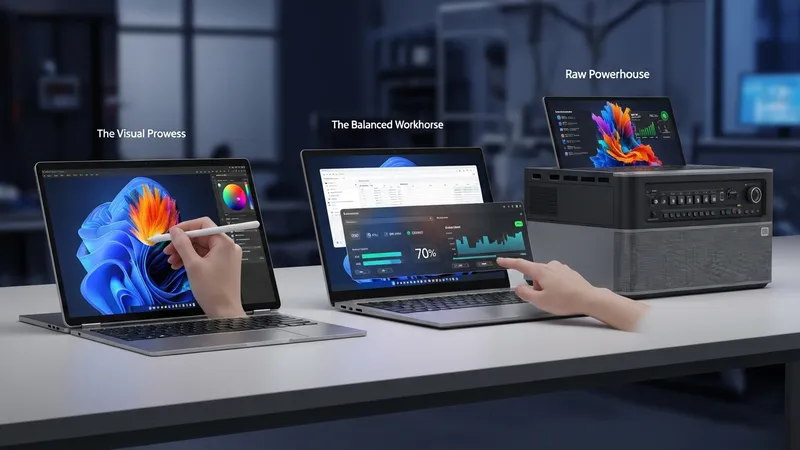
Performance components in touch screen laptops often include low- to mid-power processors designed to fit thinner chassis and conserve battery. Clock speeds, core counts, and thermal design power (TDP) ratings may indicate typical sustained throughput but are influenced by cooling capability; a laptop with a modest TDP and limited cooling can exhibit throttling under sustained load. Integrated graphics are common in many touch devices, and may handle general multimedia and light creative tasks, while discrete graphics appear in thicker designs that allow for additional cooling. Storage type—NVMe SSD versus SATA—can affect app load times and overall system fluidity.
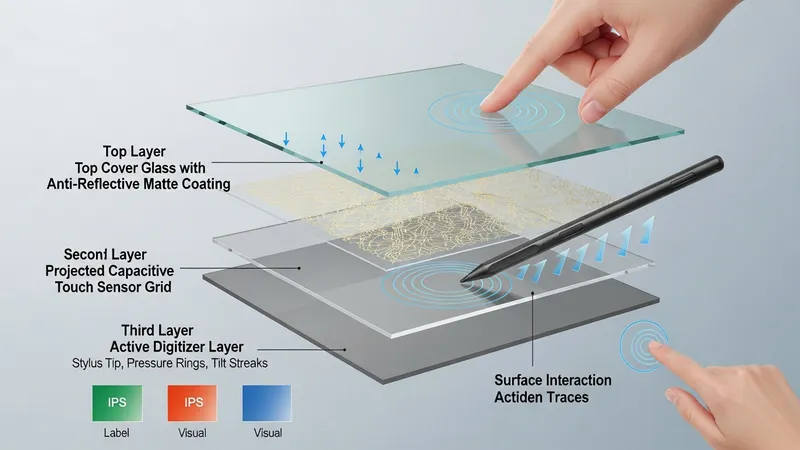
Display attributes directly affect both user experience and energy draw. Panel technology choices such as IPS, OLED, or VA determine contrast, viewing angles, and color rendering. Touch layers add a digitizer and may slightly reduce perceived sharpness or increase reflectivity; manufacturers sometimes add anti-reflective coatings or higher brightness to compensate. Resolution and pixel density influence interface scaling and text clarity, and higher refresh rates can improve perceived smoothness but may also increase power consumption. Active stylus support typically requires an additional digitizer layer and supported driver stack for pressure sensitivity and palm rejection.
Battery life in touch screen laptops is shaped by measurable factors such as battery capacity (watt-hours), power draw from the display and CPU, and software power management settings. Displays, particularly brighter panels or OLED screens, can be among the largest power consumers. Power profiles and adaptive brightness behaviors may extend usable time in light workloads; conversely, sustained CPU or GPU use under heavy workloads may reduce run time. Fast-charging features can restore usable capacity quickly, but charge cycles and thermal conditions influence long-term battery health. Measured run times in real-world scenarios often differ from manufacturer claims.
When comparing the example models above, trade-offs commonly emerge: designs like the HP Pavilion x360 may offer broader configuration choices that impact cost and performance balance, while LG Gram 2-in-1 units tend to prioritize low weight and extended battery life at the expense of very high sustained thermal throughput. Dell Inspiron variants often present mid-range thermal solutions that aim for balanced everyday performance. Such model differences illustrate that display, performance, and battery attributes typically reflect a manufacturer’s design priorities rather than a single ideal. Evaluations that consider intended workloads, portability needs, and touch input requirements can clarify which combinations may be most suitable.
In summary, touch screen laptops require evaluation across performance components, display characteristics, and battery design because these areas interact and influence overall user experience. The examples listed illustrate common device classes—mainstream convertibles, ultralight 2-in-1s, and balanced mainstream models—and how design choices can shift trade-offs among responsiveness, visual quality, and endurance. The next sections examine practical components and considerations in more detail.
Processors, memory, and storage form the core performance profile of a touch screen laptop. Modern mobile processors vary by architecture and power envelope; those with lower thermal design power (TDP) are common in thin convertibles to limit heat and extend battery life. RAM capacity and speed affect multitasking and application responsiveness; systems with higher RAM may sustain more background processes without swapping. NVMe SSDs typically provide faster sequential and random access than older SATA drives, improving application launch times. Designers often tune clocking and cooling to balance short-term burst performance and sustained workloads, so benchmark figures may reflect specific thermal behaviors rather than absolute capability.
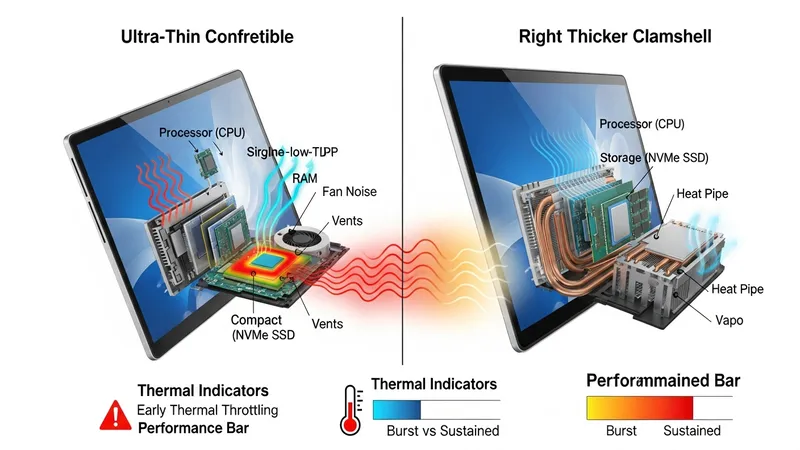
Thermal management is especially relevant in designs with integrated touch layers and thin profiles. Heat dissipation strategies such as heat pipes, vapor chambers, and strategically placed vents can influence how long a processor maintains its boost clocks. In some lightweight models, surface temperatures and fan noise may be constrained by the compact chassis, which can lead to early thermal throttling under prolonged load. Conversely, thicker convertibles or clamshells with more internal volume may sustain higher performance for longer intervals. Awareness of these design choices helps set expectations for tasks like video editing or extended simulations.
Graphics capability is another performance factor: integrated GPUs are sufficient for general productivity, web content, and video playback, while discrete GPUs appear in thicker or performance-focused 2-in-1s to support light gaming or accelerated creative workloads. Graphics workload also interacts with the touchscreen and display; higher-resolution panels increase pixel fill and can raise GPU load. Driver maturity for touch and stylus input can vary by vendor and affects responsiveness for drawing or handwriting applications. Storage throughput further influences perceived system fluidity during file transfers and complex project loads.
Benchmarks and workload-specific tests may provide comparative insight but should be interpreted alongside design intent. Real-world battery life and performance depend on workload type, thermal conditions, and background processes. For example, productivity tasks with intermittent CPU bursts and low GPU usage often run longer than sustained encoding or rendering tasks. Reviewing manufacturer specifications for TDP, memory configuration, and storage type can help anticipate likely behavior, and users may consult independent testing resources for workload-aligned comparisons rather than relying solely on peak numbers.
Touch screen implementation typically uses projected capacitive sensors or active digitizer layers for stylus input. Projected capacitive touch is common for finger interaction and supports multi-touch gestures, while active digitizers add pen input with pressure sensitivity and tilt recognition in some models. The presence of an active pen requires compatible hardware and driver support. Touch overlays and digitizers can affect panel reflectivity and optical clarity; manufacturers may choose brighter backlights or anti-reflective coatings to maintain readability. Understanding the type of touch subsystem is important for workflows that rely on precise pen input versus casual touch navigation.
Panel technology choices—such as IPS, OLED, or VA—shape color accuracy, contrast ratio, and viewing angles. IPS panels typically offer consistent color and wide viewing angles with moderate contrast. OLED panels can deliver higher contrast and deeper blacks but may vary in peak brightness and can influence power draw depending on content. Resolution and pixel density determine the level of detail; higher pixel counts can improve image fidelity but may require interface scaling, which some applications handle differently. Refresh rate is another variable: some laptops offer 90 Hz or higher, which can improve motion smoothness but may increase energy consumption.
Color metrics like color gamut coverage (sRGB, Adobe RGB, DCI-P3) and Delta E accuracy are relevant for color-sensitive work. Devices intended for content creation often specify wider gamut coverage and factory calibration, whereas mainstream models may prioritize general-purpose accuracy. Brightness, measured in nits, affects outdoor readability and the degree to which a touch panel remains usable in ambient light. Anti-glare or matte coatings can reduce reflections but may slightly alter perceived sharpness. Users who work frequently under varied lighting may weigh brightness and coating choices more heavily.
Display choices also interact with battery life and system design. For instance, higher-resolution displays and OLED panels can increase power draw in certain usage patterns, which may shorten runtime compared with lower-resolution or lower-brightness alternatives. Touch-enabled displays add a small constant power draw for the digitizer, and active pen features may require additional power when polling the pen for proximity and pressure. When evaluating devices, it can be helpful to consider typical content types, whether color-critical tasks are frequent, and how display characteristics may affect overall endurance in day-to-day use.
Battery capacity is typically expressed in watt-hours (Wh) and provides a baseline for potential run time, but actual longevity depends on component efficiency and workloads. A larger Wh rating may support longer use under comparable conditions, but power draw from the display and processor can offset that advantage. Power management features such as CPU power states, adaptive display brightness, and operating system-level energy profiles influence real-world results. Some manufacturers expose multiple power modes that shift core frequencies, screen brightness, and background activity to balance performance and endurance.
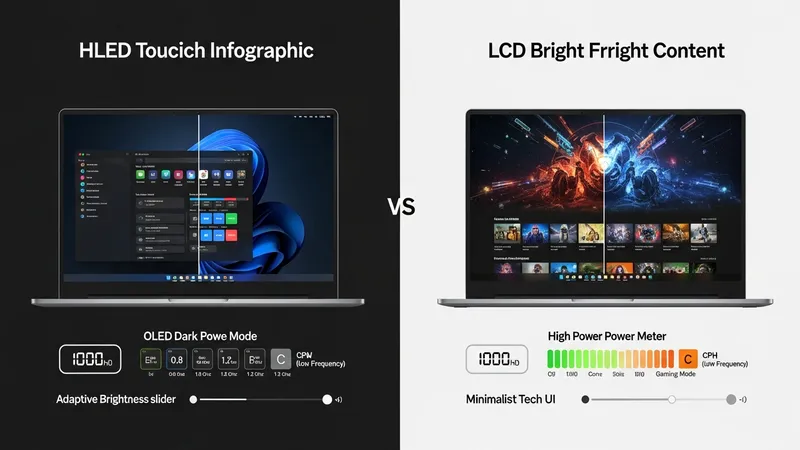
Display-related power consumption often dominates in touch screen laptops, particularly when panels are bright or high in resolution. OLED behavior differs by content—dark interfaces can reduce power draw, while bright full-screen content may increase it relative to an LCD. Touch polling and active pen support add incremental consumption, usually modest but still measurable in tight battery budgets. Fast-charging capabilities can provide practical convenience for intermittent use, yet frequent fast-charge cycles and high operating temperatures may affect long-term battery capacity in complex ways.
Usage patterns strongly determine observed battery life: light web browsing and document editing generally consume far less power than video playback, gaming, or intensive compute tasks. Background synchronization services and peripheral connections such as external drives or high-power USB devices can shorten runtime. Testing under representative scenarios—such as continuous video playback at fixed brightness, mixed productivity with web conferencing, or rendering workloads—can reveal how a particular model behaves. Manufacturers’ lab figures often use standardized benchmarks that may not align with every user’s routine.
Maintenance and software updates can influence power management over a device’s lifecycle. Firmware and driver updates sometimes adjust power profiles or improve thermal responsiveness, which can alter battery behavior and sustained performance. Battery health monitoring and calibration practices can help users track capacity changes over time; however, battery chemistry naturally degrades with charge cycles and exposure to high temperatures. Considering expected usage patterns and potential lifecycle effects may assist in setting realistic expectations for endurance.
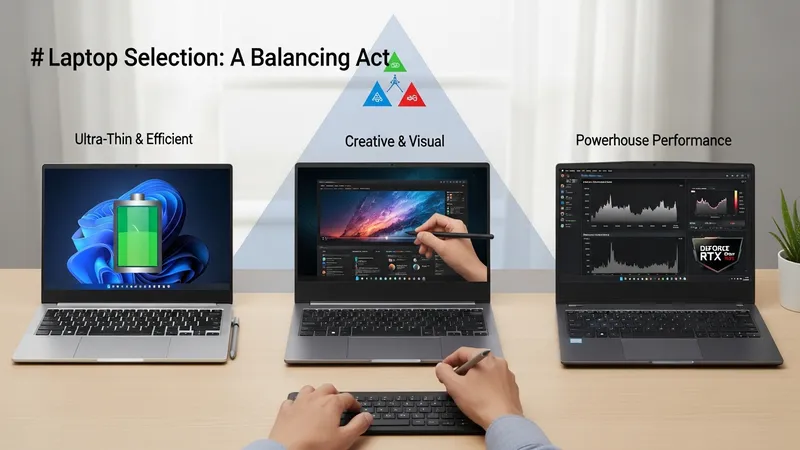
Selecting a touch screen laptop often requires balancing competing priorities rather than maximizing a single attribute. A practical framework begins by identifying primary use cases—such as note-taking with an active pen, multimedia consumption, or content creation—and mapping those to performance, display, and battery trade-offs. For example, users prioritizing portability and long runtimes may accept lower sustained CPU throughput in exchange for a lighter chassis and higher-capacity battery, while those needing sustained rendering performance may tolerate reduced mobility for improved cooling and discrete graphics options. Contextualizing needs reduces emphasis on absolute specifications.
Comparative assessment can include representative workload tests and real-world scenarios relevant to the intended use. Measuring responsiveness during typical tasks, observing display readability in common lighting conditions, and timing battery drain under defined workloads provide data that can be compared across models. Manufacturer specifications such as TDP, Wh rating, panel type, and presence of an active digitizer form useful inputs but may require interpretation relative to chassis design and thermal implementation. Considering driver and firmware support for touch and stylus features can clarify usability expectations.
Long-term considerations include software update policies, repairability, and battery longevity. Systems with modular storage or easy access to service points may simplify maintenance and potential component upgrades, whereas sealed designs often prioritize thinness. Firmware updates can affect power management and touch responsiveness over time, so reviewing vendor support practices may be relevant for users who expect to keep a device for multiple years. Observing how similar models from the same manufacturer have fared in independent reviews can offer context without implying absolute recommendations.
Overall, evaluating touch screen laptops through the lens of interacting factors—processor and thermal design, display technology and its power implications, and battery capacity with management strategies—can clarify realistic expectations. A balanced assessment anchored to specific use cases typically yields a clearer understanding of which compromises are acceptable. For readers wanting deeper technical detail on each component, the earlier sections provide focused discussion on processors, displays, and battery behaviors that may support more granular comparisons.